
Deposit · Crypto
Top up with Crypto (international)
No Vietnamese bank account? Use Crypto: select Payment Blockchain, enter USD, pick a coin (e.g. USDT on Tron), then send the exact amount to the wallet shown.
When to top up with Crypto
- You are outside Vietnam or do not have a Vietnamese bank / e-wallet
- Pay2S (VND) is only for Vietnamese users — Crypto is the international channel
- Supports popular coins via NowPayments (e.g. USDT on Tron and other networks)
- Balance on SMS Global Hub is credited in USD after confirmation
How to deposit with Crypto
01
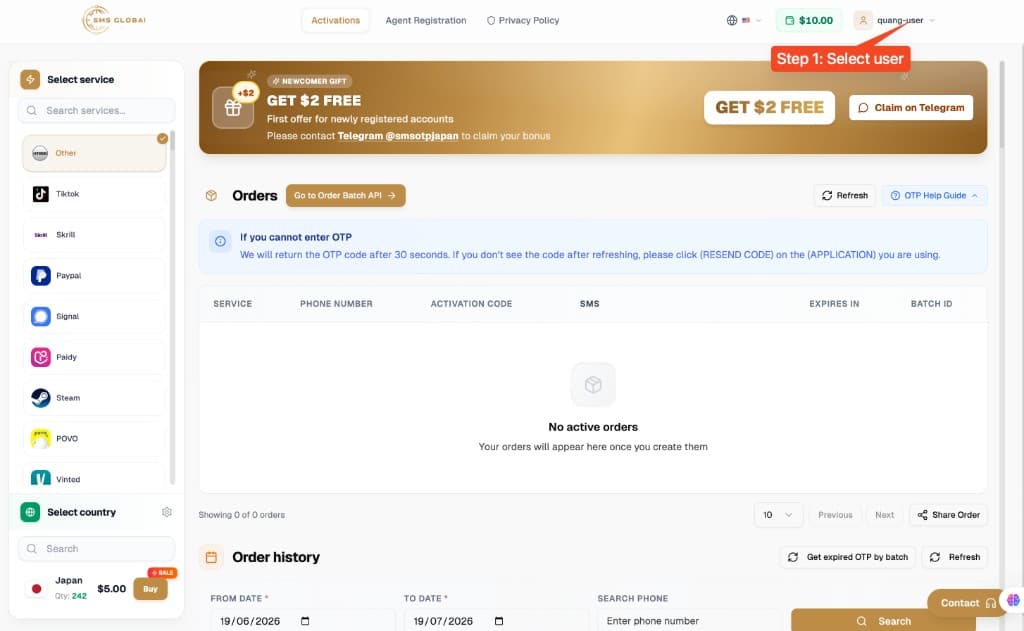
Step 1: Select user
Sign in to SMS Global Hub and click your username in the top-right corner.
02
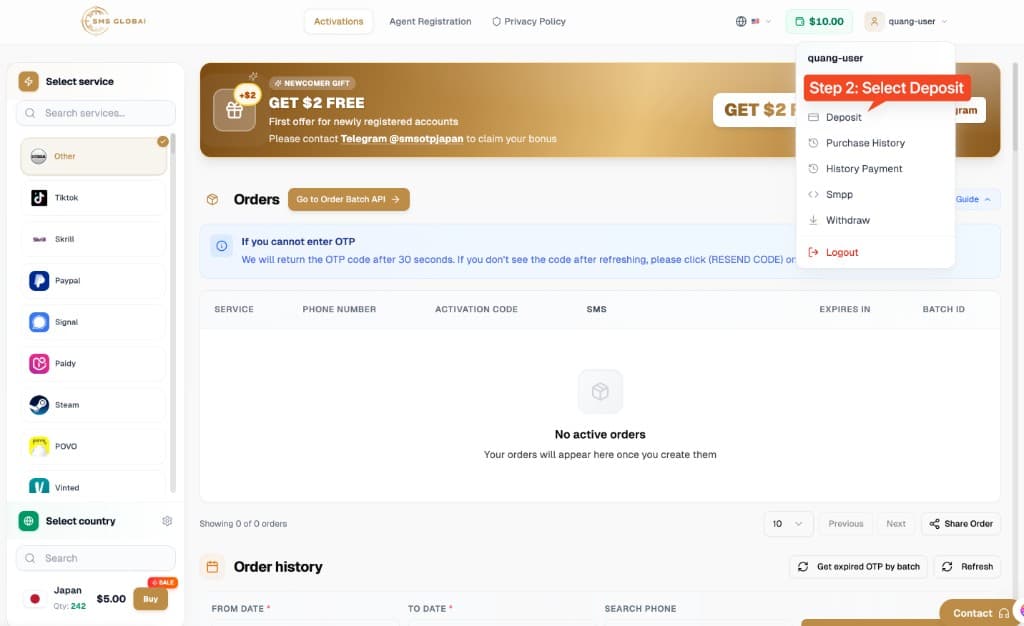
Step 2: Select Deposit
In the user menu, choose Deposit to open the top-up page.
03
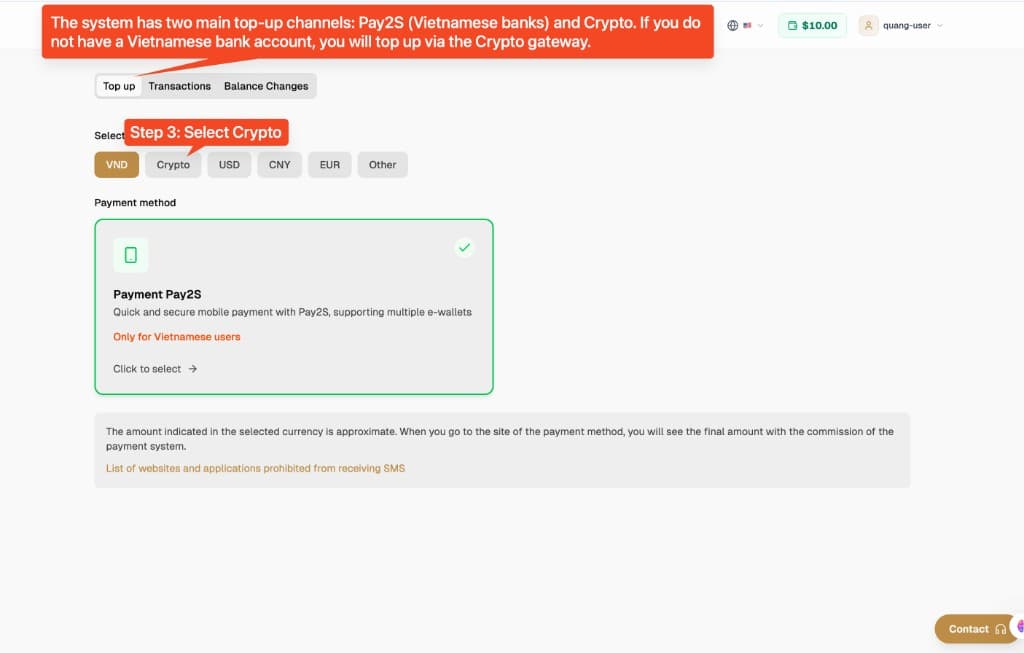
Step 3: Select Crypto
The system has two main top-up channels: Pay2S (Vietnamese banks) and Crypto. If you do not have a Vietnamese bank account, select Crypto.
04
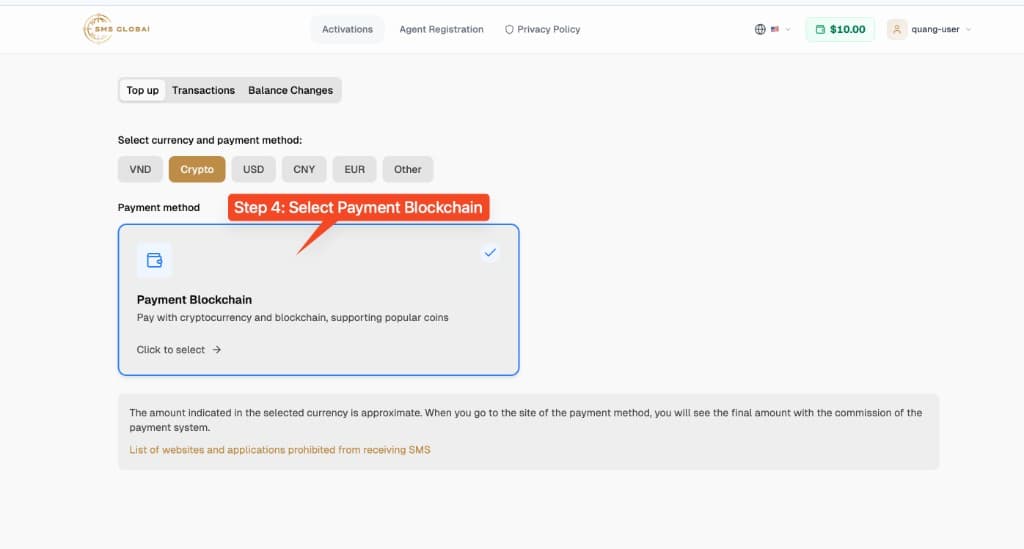
Step 4: Select Payment Blockchain
Click the Payment Blockchain card (pay with cryptocurrency / blockchain, supporting popular coins).
05
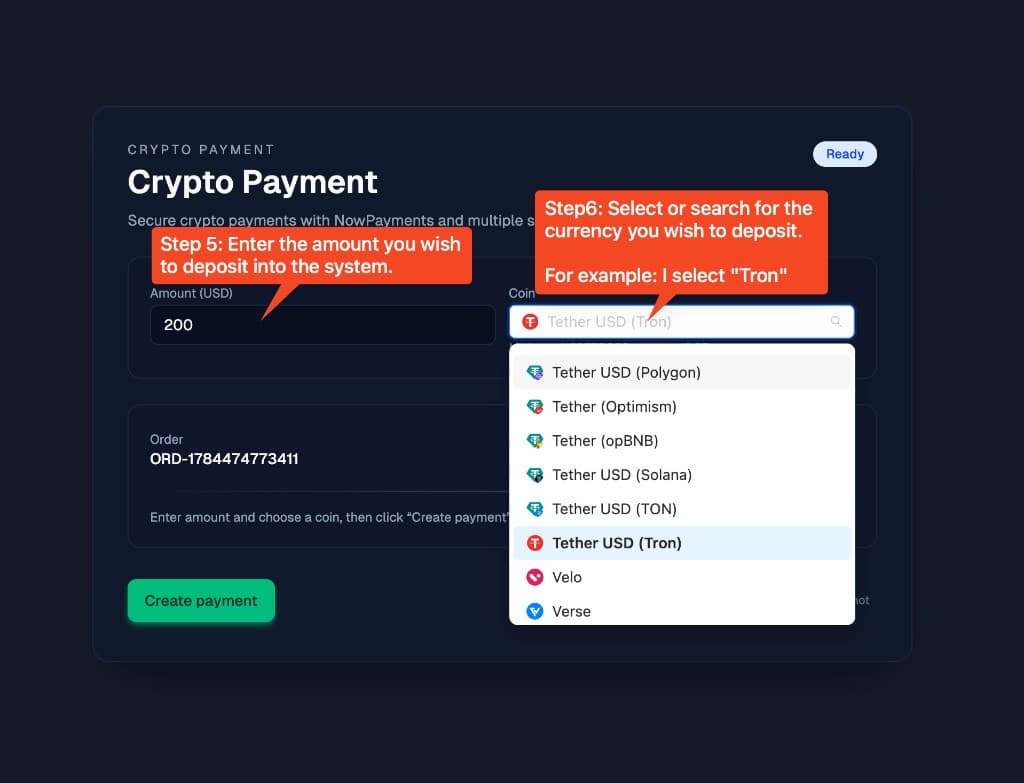
Step 5: Enter the amount (USD)
Enter how much USD you want to deposit into the system (example: 200).
06
Step 6: Select or search for a coin
Open the Coin dropdown and choose a network — for example Tether USD (Tron). Check the minimum amount shown for that coin.
07
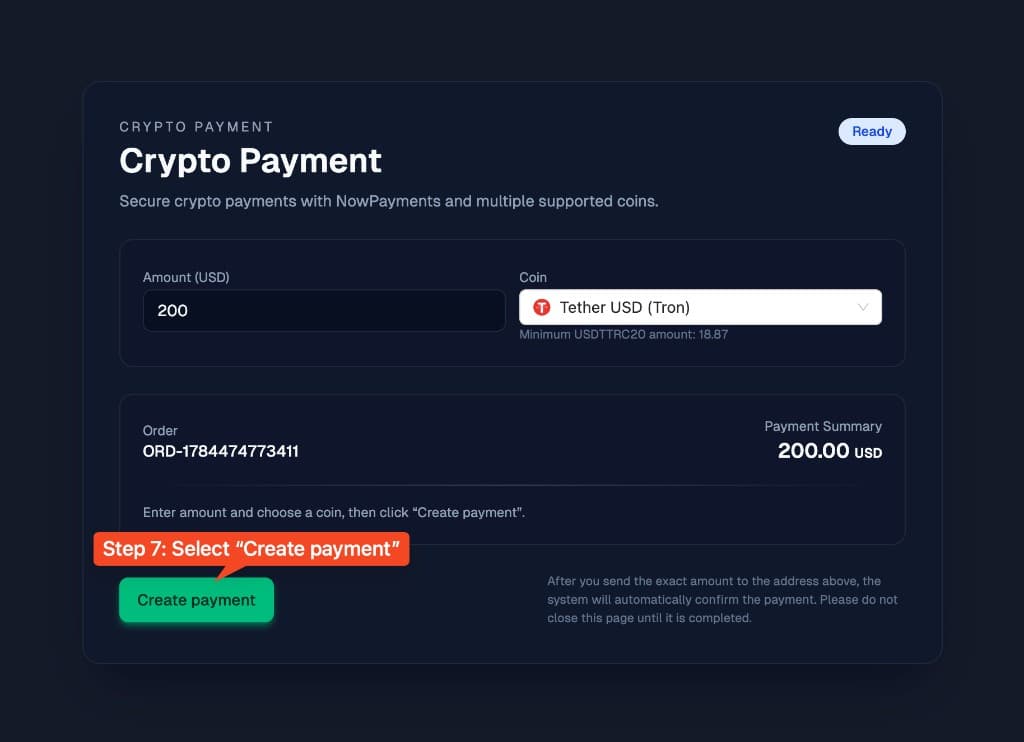
Step 7: Create payment
Click Create payment. NowPayments generates a receiving wallet and the exact amount to send.
08
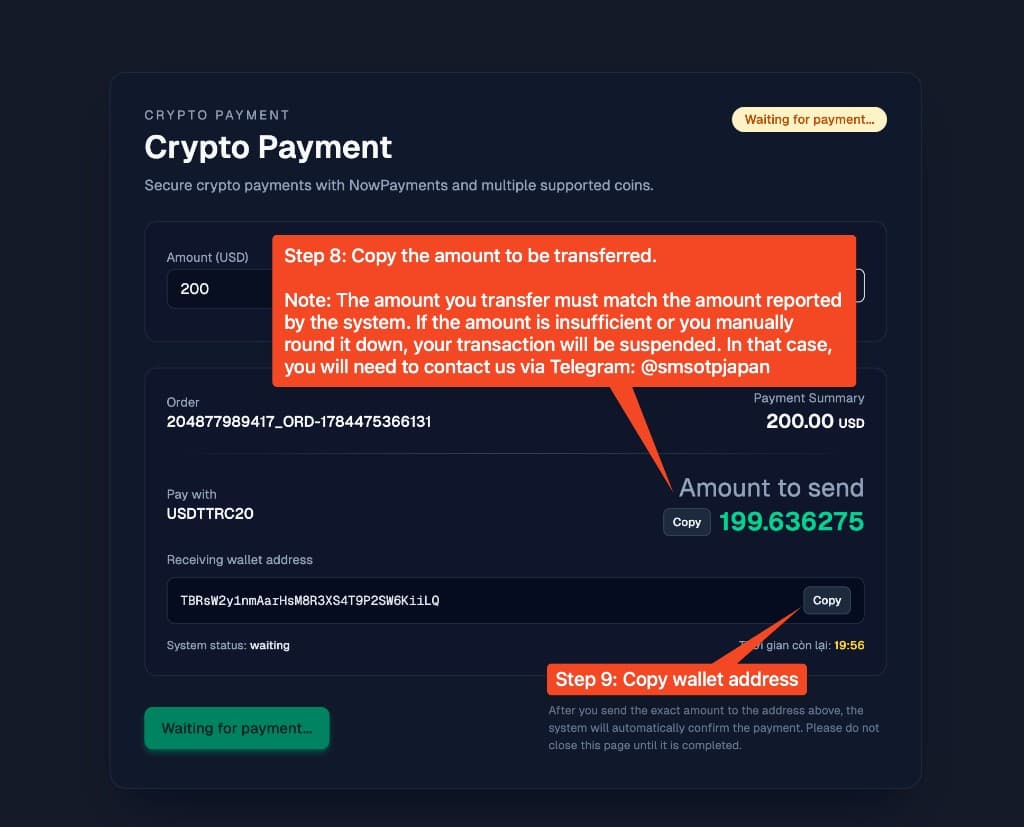
Step 8: Copy the amount to send
Copy Amount to send and transfer that exact value. Do not round down or send less — an insufficient amount can suspend the order. If that happens, contact Telegram @smsotpjapan.
09
Step 9: Copy the wallet address and wait
Copy the receiving wallet address, send from your crypto wallet, then keep this page open until status changes from Waiting for payment. The system confirms automatically after the exact amount arrives.
Crypto top-up troubleshooting
| Issue | Fix |
|---|---|
| Sent less than the required amount | Do not create a new payment yet — contact Telegram @smsotpjapan with your Order ID and tx hash. |
| Wrong network (e.g. ERC20 instead of Tron) | Always match the coin + network shown (e.g. USDTTRC20). Wrong network may lose funds. |
| Still Waiting for payment | Blockchain confirmations can take a few minutes. Keep the page open and check Transactions / Balance Changes. |
| Only see Pay2S, not Crypto | On the Top up page, click the Crypto currency button — Pay2S appears under VND for Vietnamese users only. |
Safety notes
Only send crypto to the wallet address shown for your current order. Never reuse an old address. Keep the payment page open until confirmation completes.
Deposit Crypto and buy a Japan number
Open SMS Global Hub, top up via Crypto, then buy a +81 number to receive OTP.